777pun is strictly for players aged 21 and above. Please gamble responsibly.
Mobile App

The 777pun App — Full Casino Gaming in Your Pocket, Anywhere in the Philippines

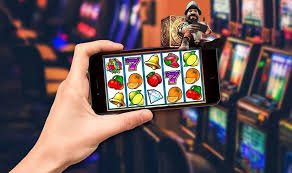
Download the 777pun app and carry the entire game lobby with you wherever you go. Slots, live casino tables, sports betting, and eBingo — all optimized for your Android or iOS device, available 24/7 on any network.

Free to download. Account registration required to play.

777pun
Android & iOS
Both Platforms
Free
No Download Fee
24/7
Always Online
PHP
Philippine Peso

Why Filipino Players Choose the 777pun App

Mobile gaming in the Philippines has grown massively over the past few years, and it's easy to understand why. Most players here are on their phones far more than on a desktop, whether they're commuting on the MRT in Manila, on a break in Cebu, or relaxing at home in Davao after a long day. The 777pun app was built with exactly that lifestyle in mind.

Rather than squinting at a browser tab that wasn't designed for mobile, the 777pun app gives you a dedicated interface that feels natural on a smartphone screen. Menus are easy to tap, games load quickly, and switching between the game lobby, your account, and the deposit page takes just a few seconds. Everything is in one place, and there's no need to remember a web address or deal with browser pop-ups.

The app supports the full range of games available on 777pun — slots, live casino, sports betting, eBingo, and poker. Whether you want to spin a few reels during your lunch break or watch a live Baccarat table in the evening, the experience is smooth and responsive on both Android and iOS devices.

The 777pun app uses SSL encryption and OTP verification to keep your account and personal information secure at all times. Your balance and transaction history are protected whether you're on Wi-Fi or mobile data.


How to Download the 777pun App

Getting the app onto your phone takes just a few minutes. Here's the quick version.

1

Register or Log In to Your Account

If you don't have a 777pun account yet, sign up first — it's free and only takes a couple of minutes. Existing players can skip straight to step two.

2

Choose Your Platform

Select Android or iOS depending on your device. The 777pun app is available for both. Android users will need to allow installation from external sources — full instructions are in the Android guide below.

3

Install & Launch the App

Once installed, open the app and log in with your 777pun credentials. The full game lobby loads immediately — no additional setup needed.

4

Deposit & Start Playing

Fund your account in Philippine Peso using local online banking, bank transfer, or e-wallets like GCash and Maya. Once your balance reflects, pick a game and start playing.

777pun

What You Get with the 777pun App

Everything from the full game lobby to account management — right in your hand.

Full Game Lobby Access

Every game available on the 777pun website is accessible through the app — slots, live casino, sports betting, eBingo, and poker. Nothing is locked away or removed for mobile users.

HD Live Casino Streaming

Live casino streams are optimised for mobile data and Wi-Fi. Whether you're watching a Baccarat table or following a live Roulette wheel, the video quality stays sharp without draining your data.

Live Sports Betting

Place pre-match and in-play bets on Basketball, Boxing, Football, Volleyball, and Esports directly from the app. Odds update in real time so you always see the current market.

Push Notifications

Stay in the loop with push notifications for promotions, game results, and account activity. You can customise which alerts you receive so your phone only notifies you about what matters to you.

Deposits & Withdrawals

Manage your balance entirely within the app. Deposit via local bank transfer or e-wallets and request withdrawals without switching to a browser. All amounts are displayed in PHP.

Secure Login with OTP

Every login is protected with OTP verification. Even if someone knows your password, they can't access your 777pun account without the one-time code sent to your registered mobile number.

Account & KYC Management

Update your profile, complete identity verification (KYC), and review your transaction history all from within the app. No need to jump to a desktop to handle account admin.

VIP & Promotions Access

Check your current VIP status, view available promotions, and claim eligible bonuses straight from the app. Everything your account is entitled to is visible in one place.

In-App Support

Reach the 777pun support team without leaving the app. Whether you have a question about a game or a transaction, help is a few taps away at any time of day.

Installing 777pun on Android

Android devices give you the flexibility to install apps from outside the Google Play Store. The 777pun APK file is safe, lightweight, and installs quickly. Just follow these steps:

1

Enable Unknown Sources

Go to Settings → Security (or Privacy on newer Android) and enable Install Unknown Apps for your browser or file manager.

2

Download the APK

Visit the 777pun website from your Android browser and tap the Android download button. The APK file will save to your Downloads folder.

3

Open the APK File

Open your file manager or tap the download notification to run the APK installer. Follow the on-screen prompts — the installation finishes in under a minute.

4

Log In & Play

Open the installed 777pun app, log in with your account details, and you're ready. The full lobby is available immediately after login.

Compatible with Android 7.0 and above. The app is under 50 MB and won't take up much space on your device.
777pun

Installing 777pun on iPhone or iPad

iOS users can access 777pun through the App Store or via the web app shortcut method, which adds the 777pun experience directly to your home screen. Here's how to set it up:

1

Open Safari

Visit 777pun.net using Safari on your iPhone or iPad. The site is fully optimised for iOS Safari and loads cleanly on all modern Apple devices.

2

Tap the Share Button

Tap the Share icon (the square with an upward arrow) at the bottom of the Safari browser bar to open the share sheet.

3

Add to Home Screen

Scroll down the share sheet and tap Add to Home Screen. Confirm the name and tap Add. The 777pun icon will appear on your home screen just like any other app.

4

Tap to Launch

Tap the 777pun icon from your home screen to open it in full-screen mode — no browser bar, no distractions. Log in and start playing immediately.

Compatible with iOS 14 and above. Works on iPhone and iPad. No App Store download or Apple ID login required for this method.
777pun

777pun App vs Mobile Browser

Both options work — but the dedicated app offers a noticeably better experience.

Feature 777pun App Mobile Browser
Faster load times
Full game lobby access
Push notifications
Home screen shortcut
Optimised touch controls
Saved login session
Works on 4G / LTE networks
OTP security
Deposit & withdraw in PHP
Full-screen no-browser-bar mode

The mobile browser option is always available if you prefer not to install anything. But for the smoothest, most immersive experience, the dedicated 777pun app is the better choice for regular players.

Games Available on the 777pun App

The complete 777pun game lobby fits in your pocket — here's what's waiting for you.

Online Slots

Hundreds of slot titles covering classic reels, video slots, and jackpot games. New releases are added regularly and all slots play smoothly on mobile.

Live Casino

Baccarat, Roulette, Blackjack, Dragon Tiger, and Sic Bo — all streamed live in HD. Filipino favorites are always available with real dealers running each table.

Sports Betting

PBA, NBA, Boxing, PVL, football, and esports — bet pre-match or in-play with real-time odds. Perfect for watching and betting on your favourite teams on the go.

eBingo

A Filipino favorite brought to mobile. Jump into an eBingo session any time of day — games run continuously with no waiting around between draws.

Online Poker

Cash games, Sit & Go, and tournament formats available. Play against real opponents in Philippine Peso, with tables available for all stake levels.

Esports & Virtual Sports

Mobile Legends, Dota 2, CS2, and virtual sports markets available around the clock. Ideal for players who follow the Philippine esports scene closely.

System Requirements

The 777pun app is lightweight and runs on most smartphones currently in use in the Philippines.

Android Requirements

  • Android version 7.0 or higher
  • At least 2 GB RAM
  • 50 MB available storage
  • Stable internet: 4G, LTE, or Wi-Fi
  • Unknown sources installation enabled

iOS Requirements

  • iOS 14 or higher
  • iPhone 7 or newer / any compatible iPad
  • Safari browser for home screen install
  • Stable internet: 4G, LTE, or Wi-Fi
  • No App Store account required for PWA method

Frequently Asked Questions – 777pun App

Quick answers to the most common questions about downloading and using the app.

Yes, the 777pun app is completely free to download and install on both Android and iOS. There are no charges for downloading or for installing the app. You only need funds in your account when you want to place real-money bets or play real-money games.

No. Your existing 777pun account works on the app without any changes. If you already play on the desktop site, just log in with the same username and password on the app. Your balance, transaction history, VIP status, and bonuses all carry over automatically.

Yes, as long as you download the APK directly from the official 777pun website. The file is scanned and verified before release. Always make sure you are on the correct 777pun.net domain before downloading — do not install APK files from third-party sites or unofficial sources.

Yes. The 777pun app supports full deposit and withdrawal functionality. You can fund your account using Philippine online banking, bank transfer, GCash, Maya, or other supported local payment methods. Withdrawal requests are also handled in-app. All amounts are in Philippine Peso (PHP).

The app is optimised to work on standard Philippine mobile networks including 4G and LTE. Slots and most casino games load well on average data speeds. Live casino streaming requires a more stable connection for the best video quality — a Wi-Fi connection or a strong 4G signal is recommended for live table games.

When a new version of the app is available, you will see an update prompt when you open it. Android users can also download the latest APK from the official 777pun website and install it over the existing version — no need to uninstall first. iOS users using the home screen shortcut will always access the latest version automatically.

You must be at least 21 years old to register and play on 777pun, including through the mobile app. Age verification is part of the registration and KYC process. Players under 21 are not permitted to create an account or access any real-money games on the platform.

Ready to Play on the 777pun App?

Create your free account today, install the app on your Android or iOS device, and access the full 777pun game lobby wherever you are in the Philippines.

21+ only. Please play responsibly. Visit our Responsible Gaming page for support tools.